Written by Jonathan Puleio, MSc CPE - Global Vice President, Humanscale Consulting
Despite significant advances in office furniture design, musculoskeletal discomfort remains one of the most common workplace complaints. Employees routinely report neck and shoulder pain, lower back discomfort, wrist pain, and overall fatigue after prolonged computer use.
Workplace discomfort is not the exception. It’s the rule. According to data tracked by the World Health Organization, low back discomfort affects roughly 619 million people globally, making it the leading cause of disability worldwide. Lower back pain impacts nearly 80% of all individuals at some point in their lives.
A 2025 survey1 of 99 office workers found:
- 81% experienced musculoskeletal symptoms in at least one body region
- 53% reported lower-back symptoms
- 59% reported neck symptoms
- 37% reported shoulder symptoms
The researchers found significant relationships between chair height and symptoms in the knees, shoulders, and upper back.
An even more recent 2026 survey2 of 170 computer users, all reporting 6+ hours of computer use per day revealed:
- 59% were experiencing low-back pain
- 72% were experiencing neck pain
Why Are So Many Office Workers Uncomfortable?
Posture is an adaptation to the physical demands of the workstation. Office work combines prolonged sitting and repetitive motion with sustained visual attention and high cognitive loading, a recipe for the development of chronic discomfort and pain.
Walk through any office and you will see remarkably consistent behavior: most computer users are leaning forward in their chairs. Neither the backrest nor the recline mechanism is in use, yet most employees attribute their low back discomfort to their chair.
A closer look reveals that the employee may be leaning forward for multiple reasons:
- The monitor is too far away
- The chair's recline mechanism is either locked or not tensioned properly
- The chair's seat depth prevents proper contact with the backrest
- The chair is not at the correct height
- The employee is not sitting close enough to their monitor
- The keyboard and mouse are positioned too far forward
- The desk is too high
- The display is too low
- The text is difficult to read
- The employee requires guidance on proper workstation setup
Notice that only one third of the factors are related to the office chair. The chair, while critically important, is just one part of a larger system. Forward leaning becomes the solution to a more complex workstation problem. It’s also the root cause of most of the discomfort computers users experience.
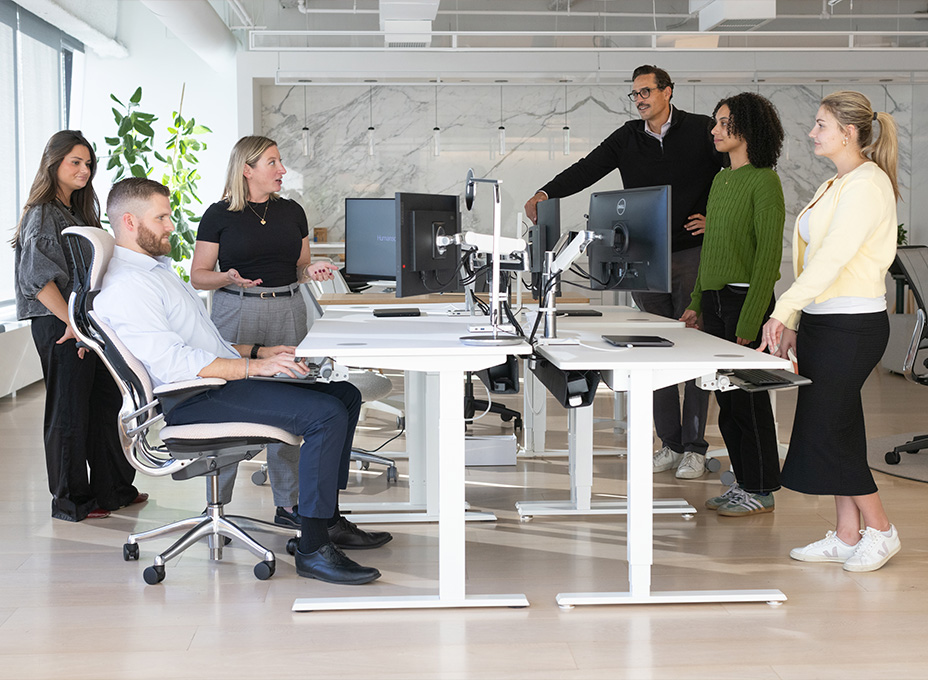
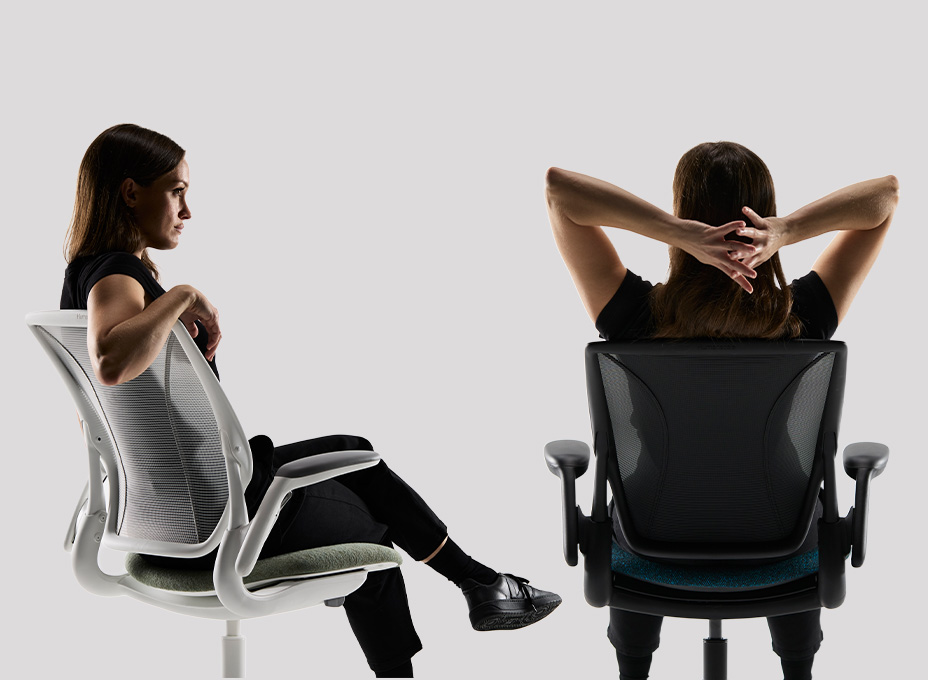
People need to move. They need to be able to shift their body weight. If the task chair or other components of the work environment prevent the user from making frequent postural shifts, discomfort is likely to ensue.
Evaluating Task Seating
For many large organizations, evaluating task seating involves little more than filling a room with 6-8 different task chairs and asking employees to rank the chairs in order of preference after an initial ‘sit-test’ lasting no more than a few minutes. The votes are tallied and a winner emerges – an order is then placed for thousands of chairs. Everyone involved feels great about the process.
Fast forward a few months – everyone has moved into the new space and finally has an opportunity to experience the new workstation design. But within a matter of days, a different reality emerges – employees start submitting tickets to have their chairs replaced due to discomfort. Side conversations about the chair can be overheard throughout the office. Complaints start to mount and the evaluation process comes into question - ‘Whose decision was it to buy these chairs?’
If you have ever worked in facilities or corporate real estate, you can probably relate to this scenario. But what is happening here? Why is it so difficult to select a chair that is comfortable?
A Flawed Evaluation Process
How a chair feels initially is not a good predictor of how it will feel after 8 hours of continuous use. Over time, as the air in the foam is displaced, long-term comfort is compromised, because concentrated areas of pressure begin to build around the sit bones, also known as ischial tuberosities. Pressure map testing quickly confirms these relationships.
.jpg)
Read more about the benefits of high-density foam.
Office chair manufacturers know that most chair evaluations only span a few minutes. To increase their chances of winning seating projects, they will often use thick foam cushioning to optimize short-term comfort.
Traditional task seating evaluations are also flawed because they occur outside the context of a computer workstation. This is akin to evaluating a set of golf clubs in a sporting goods store – you simply will not be able to evaluate their true performance.
Lastly, most employees are simply not equipped to recognize design innovations in task seating – groundbreaking design features are likely to go unnoticed, especially when the evaluation process lacks a formal training component.
One Size Does Not Fit All
From an ergonomics perspective, there is no “average employee.” Even two individuals of the same height can have completely different body proportions. Accommodating 100% of employees with a single chair design is an unrealistic goal. Aim to accommodate 90-95% with the understanding that 5-10% will require specialty chairs.
The Link Between Task Seating and Discomfort
Many office chairs are marketed as "ergonomically designed," yet discomfort remains widespread. The reason is surprisingly simple: most chairs are rarely adjusted, let alone adjusted correctly and most chairs restrict rather than promote movement.
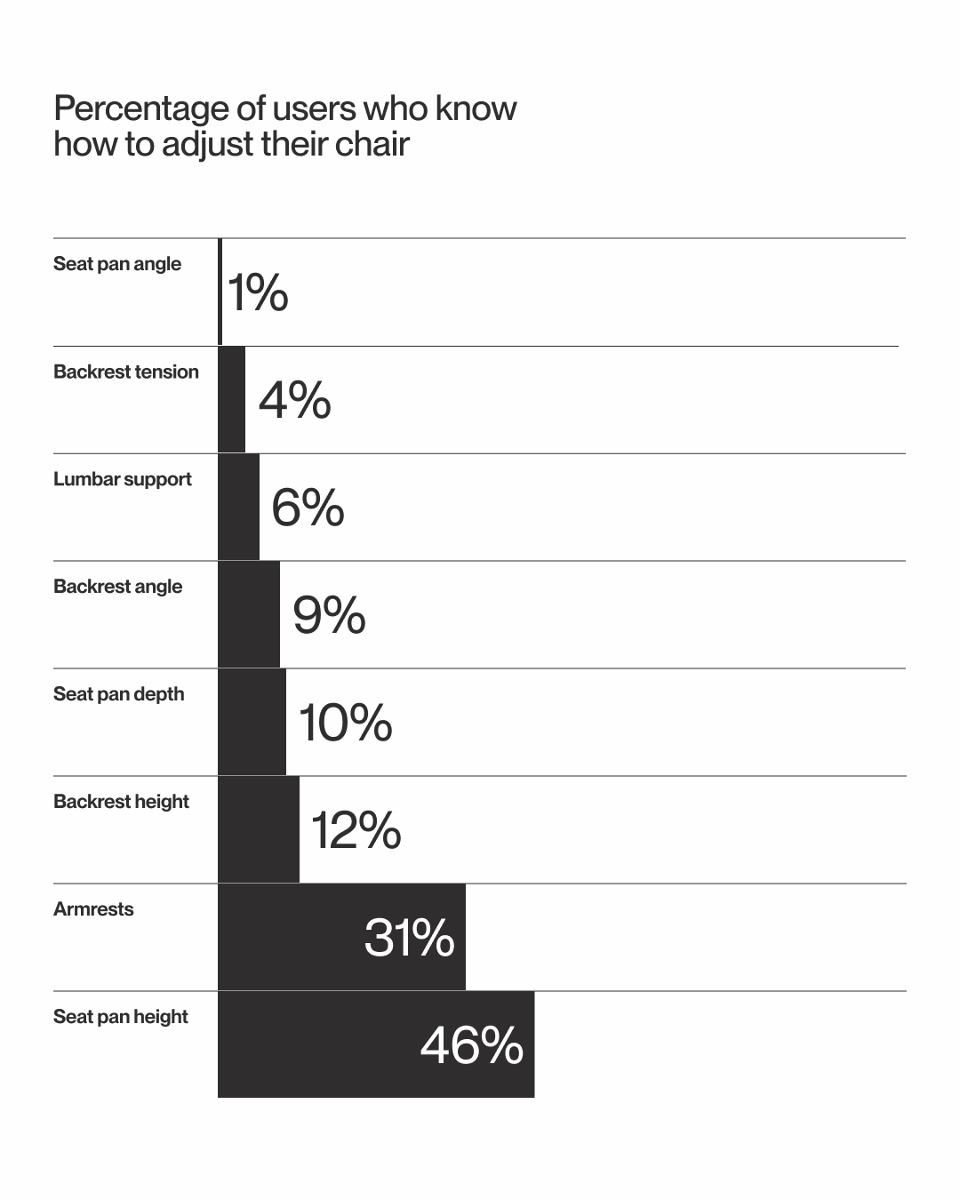
Cornell research3 led by David Feathers and Alan Hedge on user knowledge of chair controls uncovered an alarming problem – except for the seat height and armrest adjustment, only 2-15% could correctly identify other controls.
Even when participants correctly identified their chair controls, <50% reported ever using them. Over 1000 office workers from 23 companies participated in the 2016 study and 60 different chairs were evaluated.
Poor fit can undermine comfort if:
- The seat height is too high or too low
- The lumbar support does not match the user's spinal curvature
- The armrests are not positioned at the correct height, or if they are interfering with the desk
- The backrest is locked
- The backrest tension is insufficient relative to the user’s body weight or does not move naturally with the user
- Other workstation tools such as the keyboard, mouse, or monitor encourage forward-leaning postures
- The seat depth is too long or too short
How Traditional Chairs Restrict Movement
Back locks and tension control knobs are barriers to movement for two reasons. First, most users are unaware of the adjustments (~96%) and second, those who are aware are unlikely to adjust them properly.
Locking the backrest restricts the user’s ability to recline, offload body weight and reduce spinal disc pressure. Improper backrest tension results in a similar scenario – when the tension is too high, the user is unable to vary their posture and when the tension is too low, the user lacks sufficient support to maintain any posture other than fully reclined.
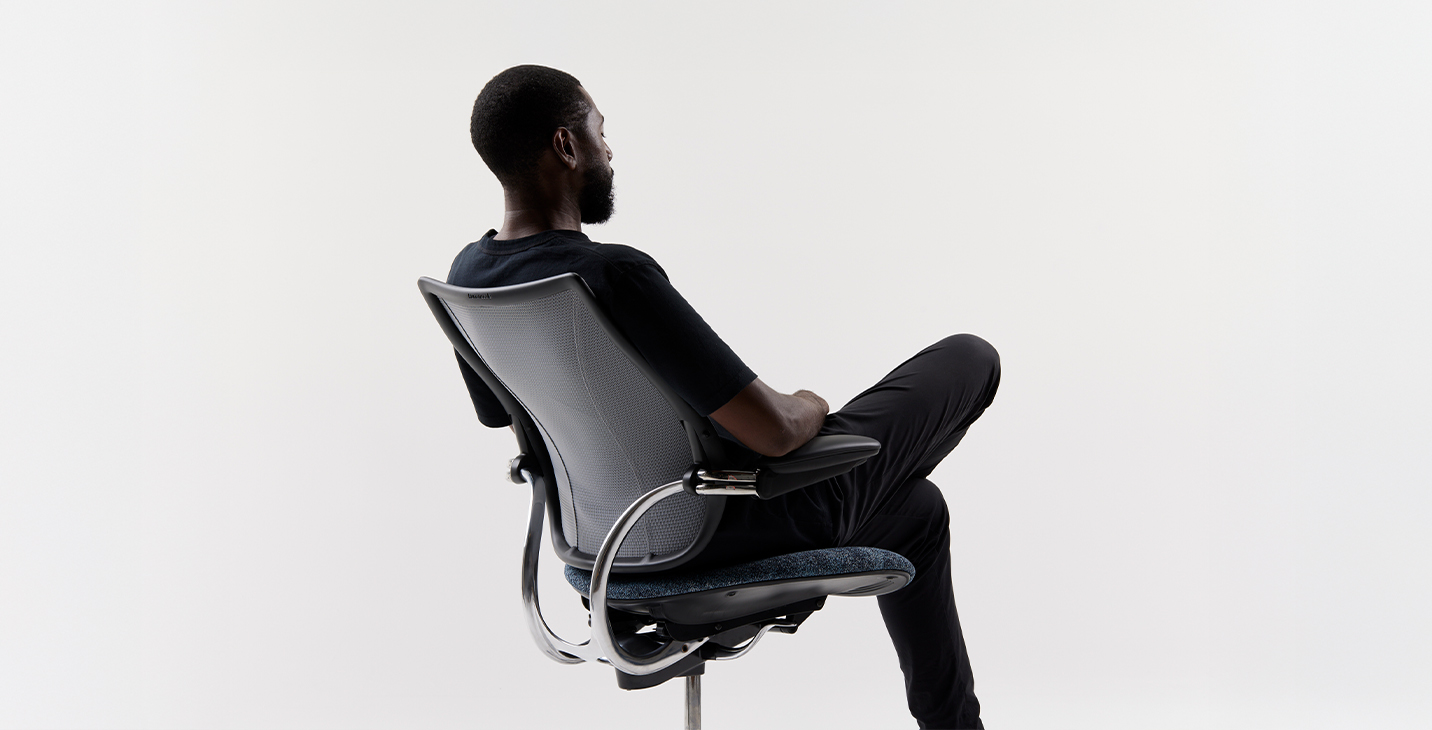
One of the most common misconceptions is that sitting perfectly upright and still is the ideal posture. No single posture is healthy if maintained continuously. Ergonomists often say, ‘The best posture is the next posture.’ This implies that movement is essential. Movement is critical for long-term health because it nourishes the spine, lubricates joints, removes muscle toxins, and improves circulation.
Rethinking Chair Controls
From a usability perspective, there are a few obvious problems inherent in traditional task chair controls:
- There are too many controls - unnecessary controls reduce usability
- The controls lack visibility - the controls are obscured by the seat pan
- Lack of standardized controls - controls are inconsistently designed and placed in a variety of locations across chair designs
These factors compound one another to result in poor usability. Controls intended to promote health and comfort lay idle with only a small percentage of the population ever benefiting from them.
Modern task chairs address this issue primarily through design innovation, in the form of self-adjusting technologies. A self-adjusting recline mechanism, for example, relies on the user’s body weight to set the proper backrest tension, effectively eliminating the need for a manual adjustment. And there is no need for a back lock, because when the backrest is properly tensioned, the user is supported throughout the entire reclined range. Removing the guesswork from the equation supports natural movement and results in improved seated postures. Reducing the number of total controls significantly improves the usability of the chair without taking anything away from the user.
The Bottom Line
For organizations investing millions of dollars in workplace furniture, task seating deserves more strategic consideration. The chair is where the employee and workstation physically intersect – according to Leesman research 83% of employees identify their chair as critical and yet only 69% satisfied. Facilities managers, EH&S professionals, and corporate real estate teams should ask the following questions when evaluating task chairs:
- Will the chair fit at least 90% of employees?
- Does the chair promote movement?
- Are the chair controls intuitive to adjust?
- Does the chair provide adequate support across a range of reclined postures?
- Is the chair optimized for short or long-term comfort?
Organizations that apply these principles to their chair selection process are significantly more likely to achieve better long-term health outcomes and prevent debilitating workplace injuries.
Designing for Movement, Not Adjustment
At Humanscale, we believe the best task chair is one that supports the body without asking the user to become an expert in chair adjustments. Our approach is to remove unnecessary complexity and design seating that automatically adapts to the individual, encouraging natural movement and providing consistent support throughout the workday.
By combining self-adjusting recline technology, intuitive controls and thoughtful ergonomic design, Humanscale chairs are designed around how people actually sit and move, not how we expect them to configure a chair. The result is a simpler, more inclusive approach to seating that helps organizations accommodate a broad range of users while supporting long-term comfort, movement and wellbeing.
Works Cited:
- Mohammadian, M., Mollahoseini, S., & Naghibzadeh-Tahami, A. (2025). Musculoskeletal disorders among office workers: prevalence, ergonomic risk factors, and their interrelationships. Scientific Reports, 15, 45425. Published November 26, 2025. DOI: 10.1038/s41598-025-30155-6.
- Faidullah, H. Z., et al. (2026). Developing and validating prediction models for low back pain and neck pain in office workers: a cross-sectional study. Scientific Reports, 16, 980.
- Hedge, A. & Feathers, D. (2016) What am I sitting on? User knowledge of their chair controls, Human Factors and Ergonomics Society.
About the Author
Jonathan Puleio is the Global Vice President of Humanscale Consulting and a Board Certified Professional Ergonomist with undergraduate and graduate degrees in human factors and ergonomics from Cornell University. He launched Humanscale Consulting in 2005 to help organizations design, implement, and manage ergonomics programs that support healthier, higher-performing workplaces. His expertise spans ergonomic program development, occupational health and safety, musculoskeletal injury prevention, and workplace design. A recognized contributor to the field, Jonathan has helped shape ergonomics standards for office environments and holds several U.S. patents for the design of ergonomic products.